See inside a real thing, in time with its own sound.
Film something doing its thing. showtime finds every event in the clip's sound, draws the inside moving on those
exact frames, on the object as the camera moves or beside it, and proves it with a receipt.
19 of 19 events on their frame · audio 0.0 ms from the original
A typewriter, seen through. Clip: Erik Pålsson / Sounds of Changes, CC BY 3.0 · Source. The receipt is showtime xray verify reading the finished film: the sync marker
on every frame against the events, and its audio against the original clip.
How it works
Three commands, or one sentence to your agent: “X-ray this clip of my typewriter, drawn on the machine.”
It runs these for you, looks at the frames and tells you what it measured and what it drew.
1
Film it, then measure it
A real thing doing its thing, with its sound: a typewriter typing, a
music box playing. A phone is fine. Every event in the sound gets its time and its frame; --track follows the object as
the camera moves.
showtimexrayanalyzeclip.mp4--jobxray-typewriter
2
Draw the inside
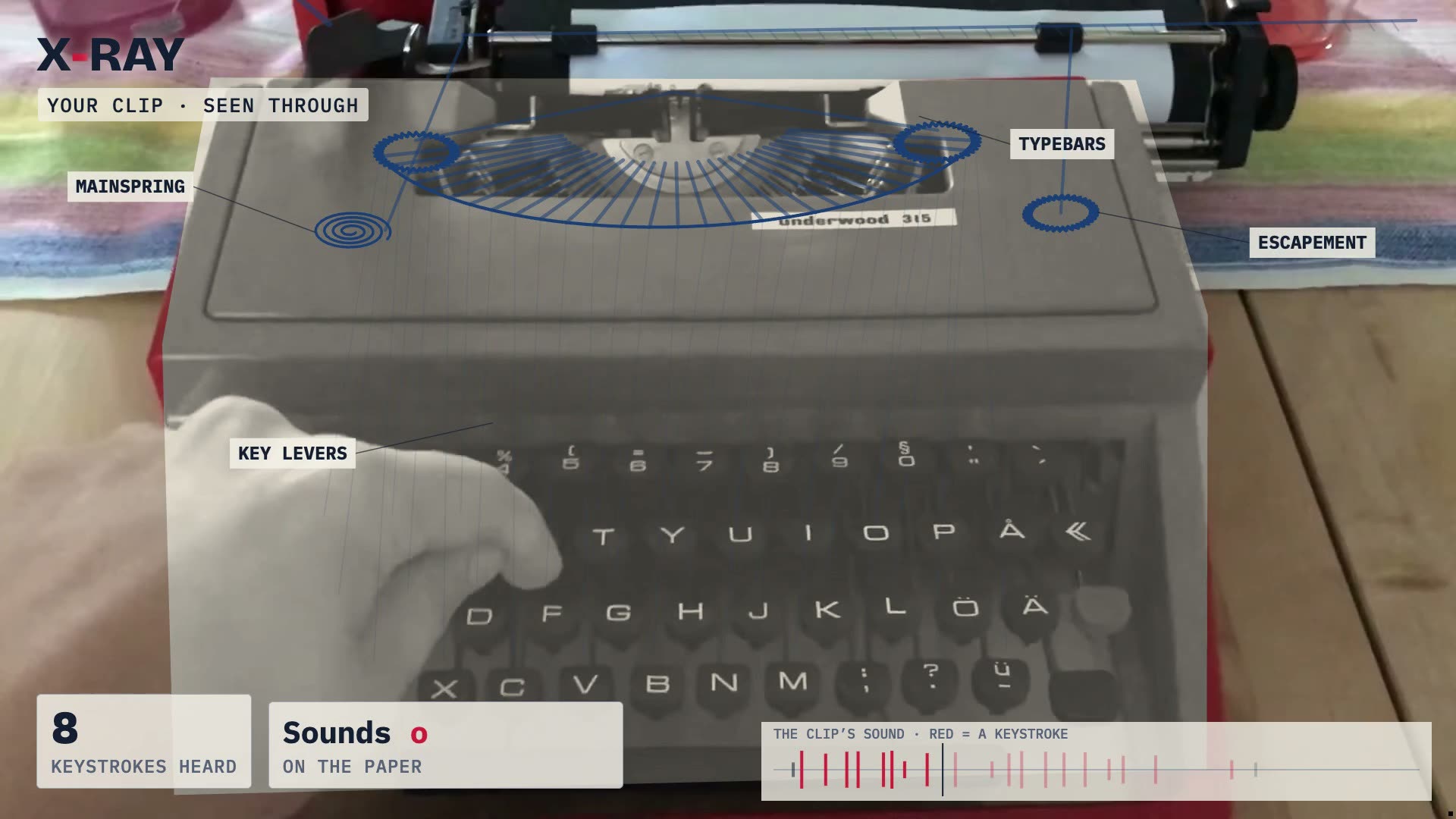
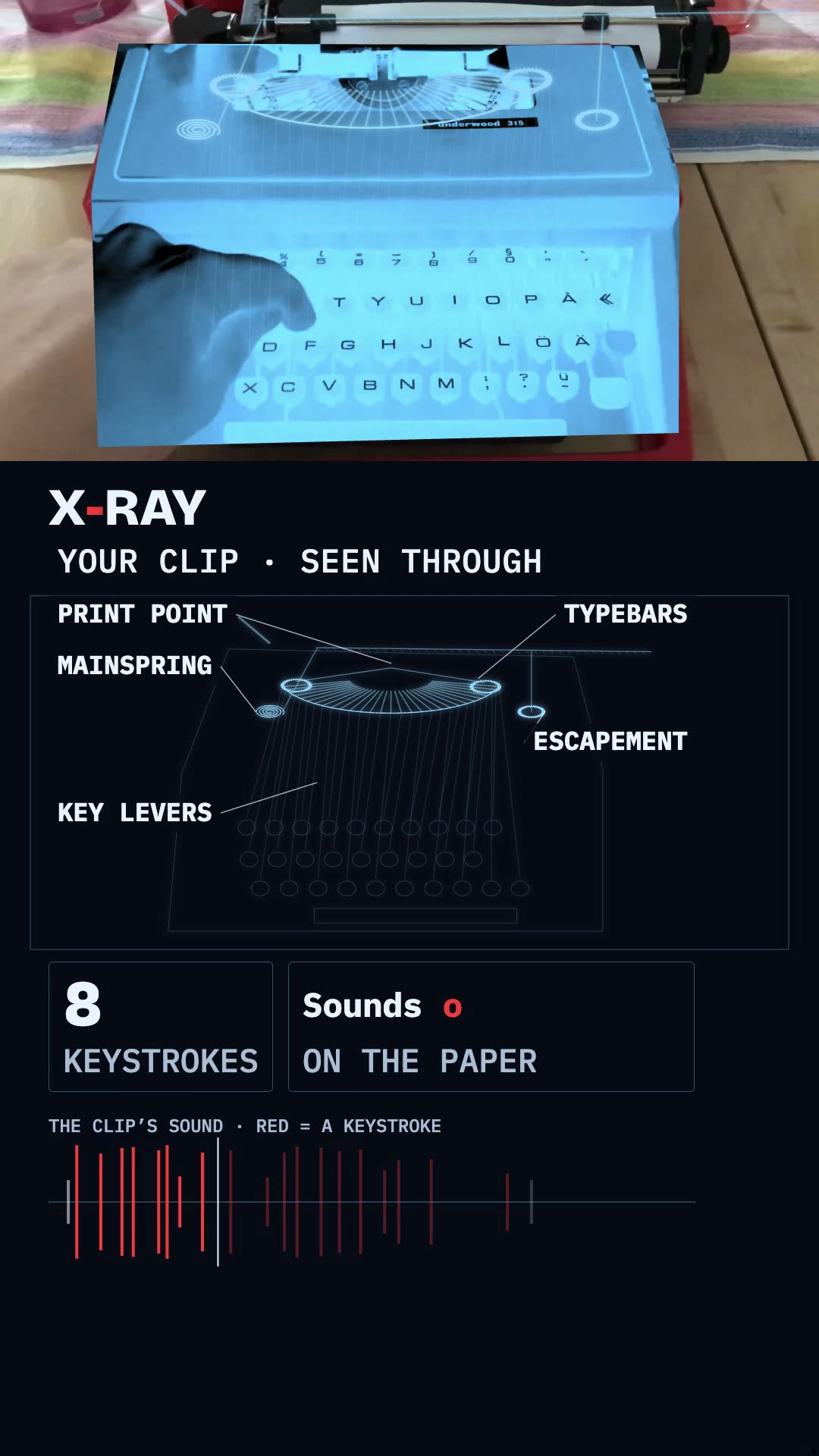
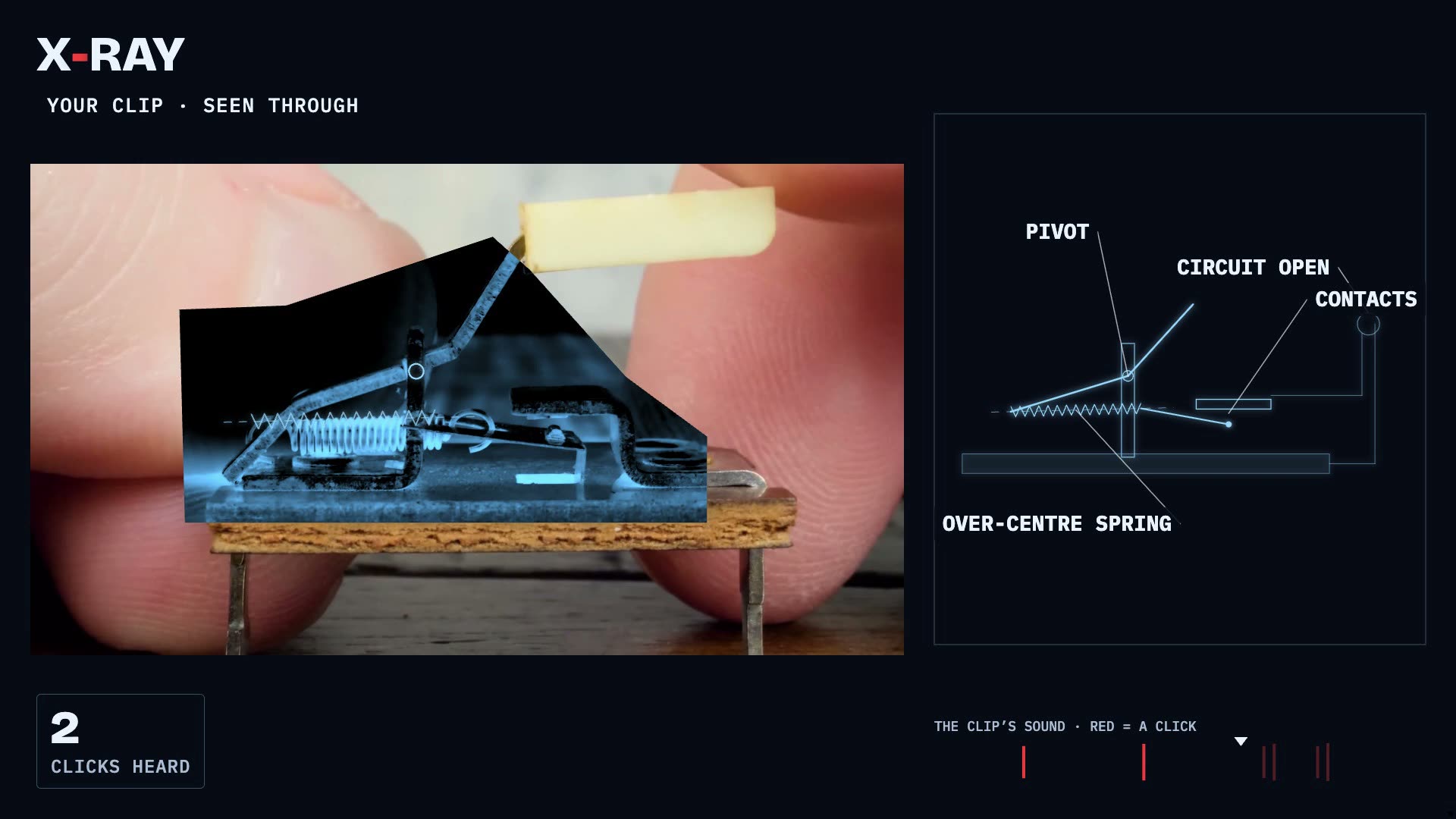
Pick a mechanism from the library and a look: see-through on the object,
beside the clip, or a living diagram; dark like a radiograph or light like a blueprint. Each strike peaks on its event's frame.
The finished film is read back frame by frame and its sound is matched to the
clip's. The line it prints goes on the end card and under the film wherever you post it.
showtimexrayverifyxray-typewriter
See-through
The inside drawn on the object itself, inside its outline, as the camera moves. Objects only, never people.
Beside it, or as a diagram
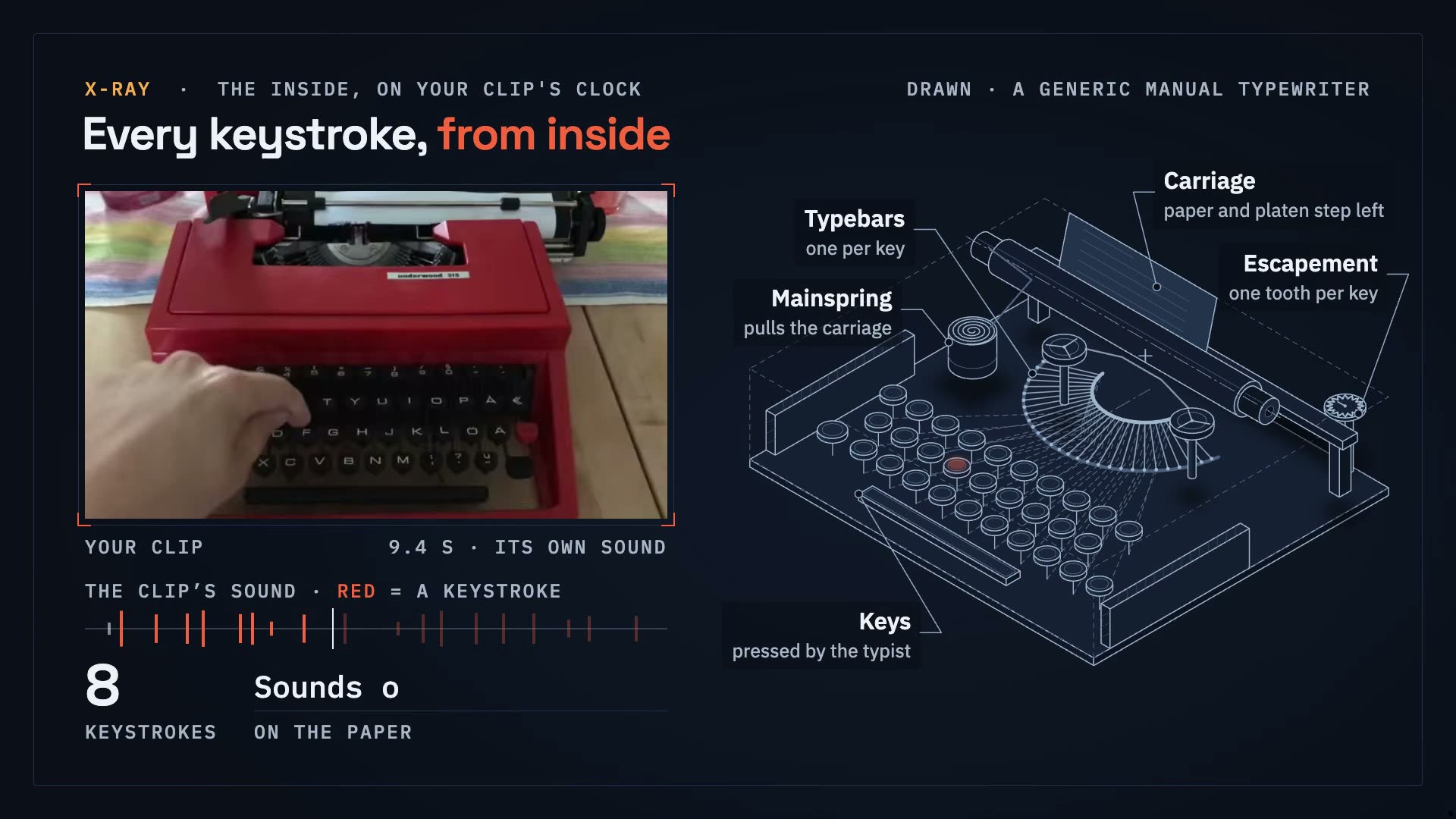
When the object will not hold still, the inside sits beside the clip, or as an isometric living diagram.
Music from the sound
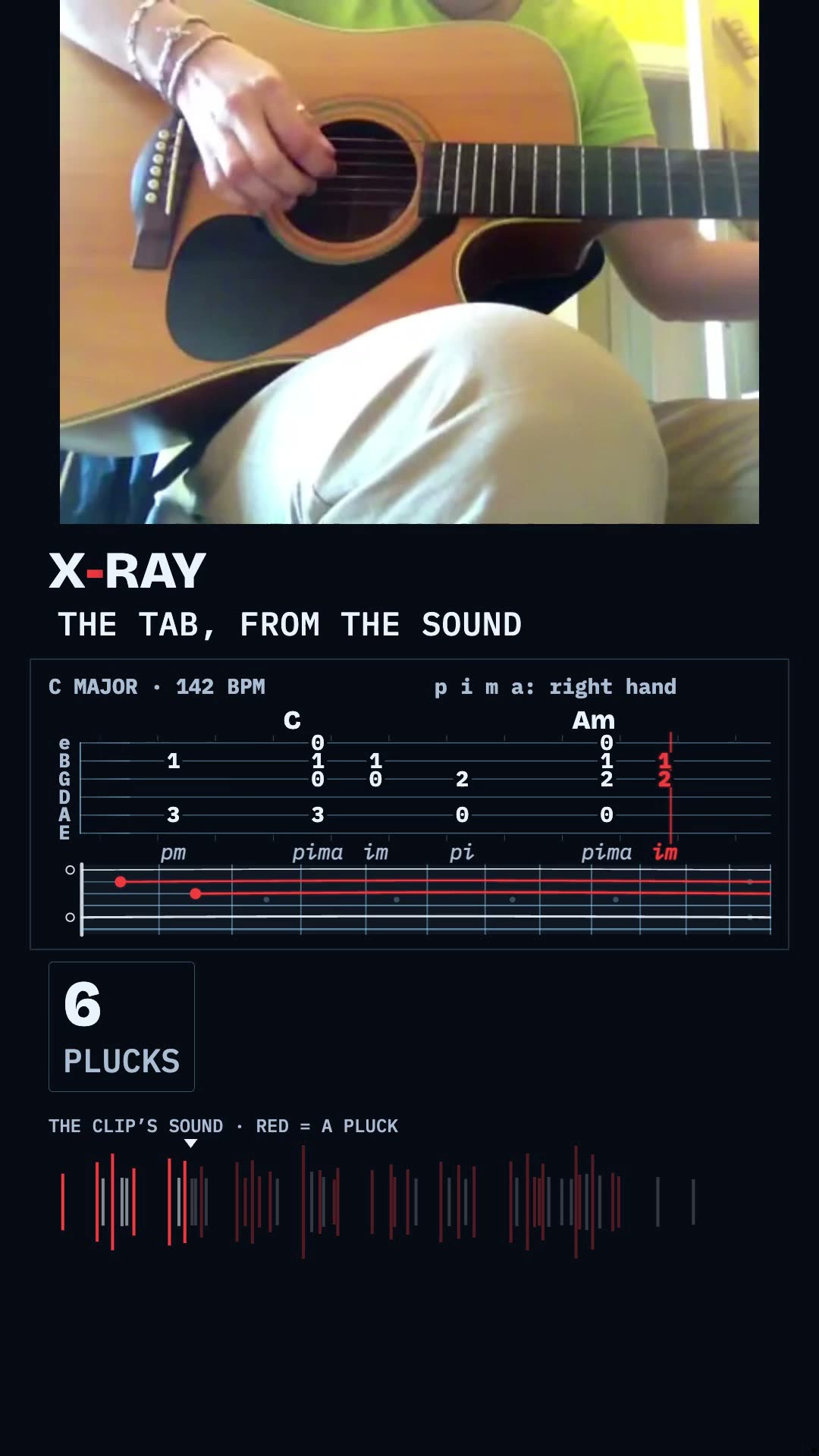
Pitches, key and tempo from an instrument's sound: a score for a piano, a tab for a guitar, a drum sheet for a kit.
Honest about what is drawn
On screen: what was measured (event times, counts, what the clip shows) and what was drawn (a generic mechanism of that kind).
The gallery
Ours and yours. Every finished film carries its receipt, and every one can be copied: the commands are under it and
its mechanism is in the library.
10 films
Play with sound
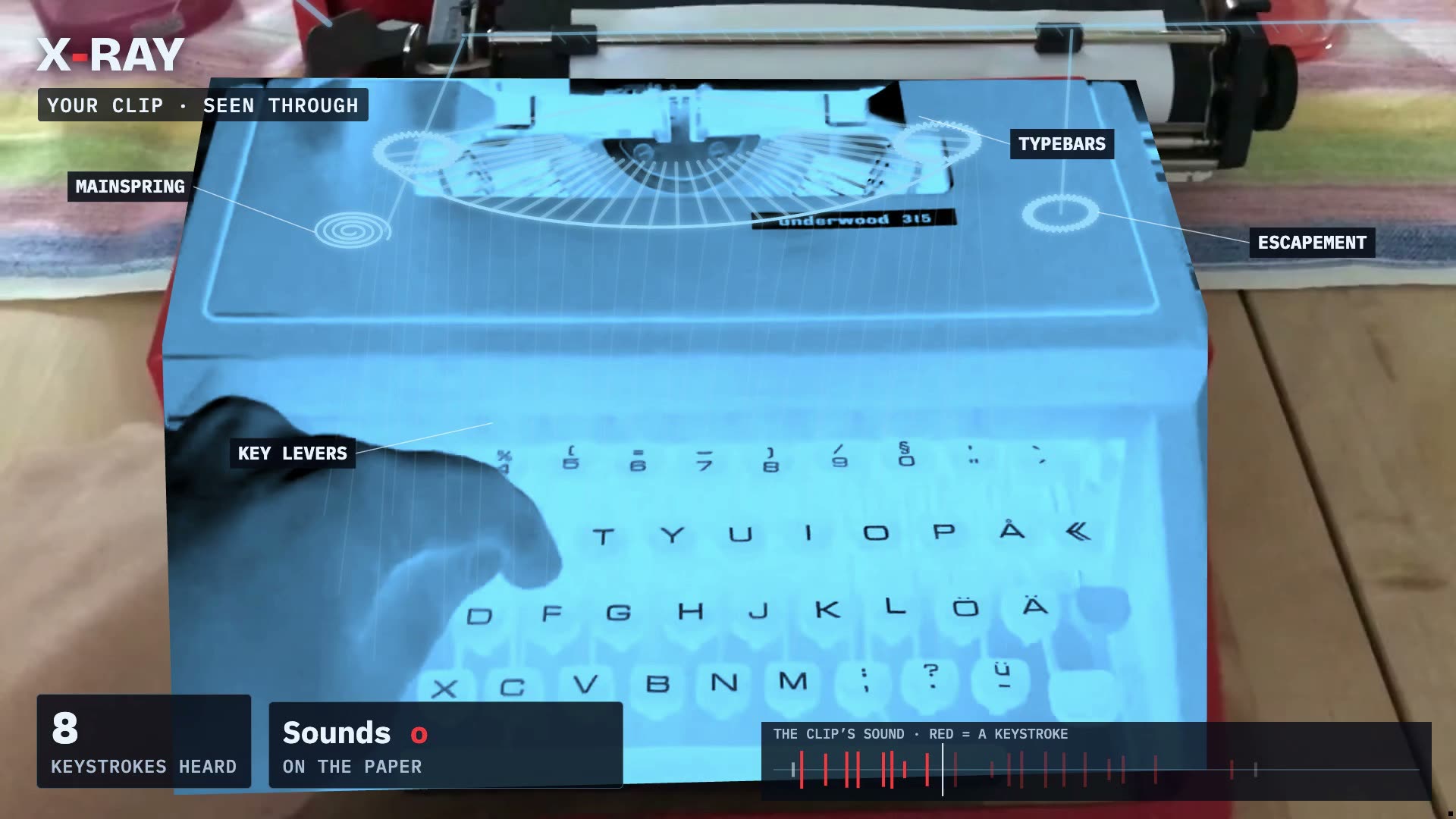
A typewriter, seen through
Machines · see-through · dark · 16:9
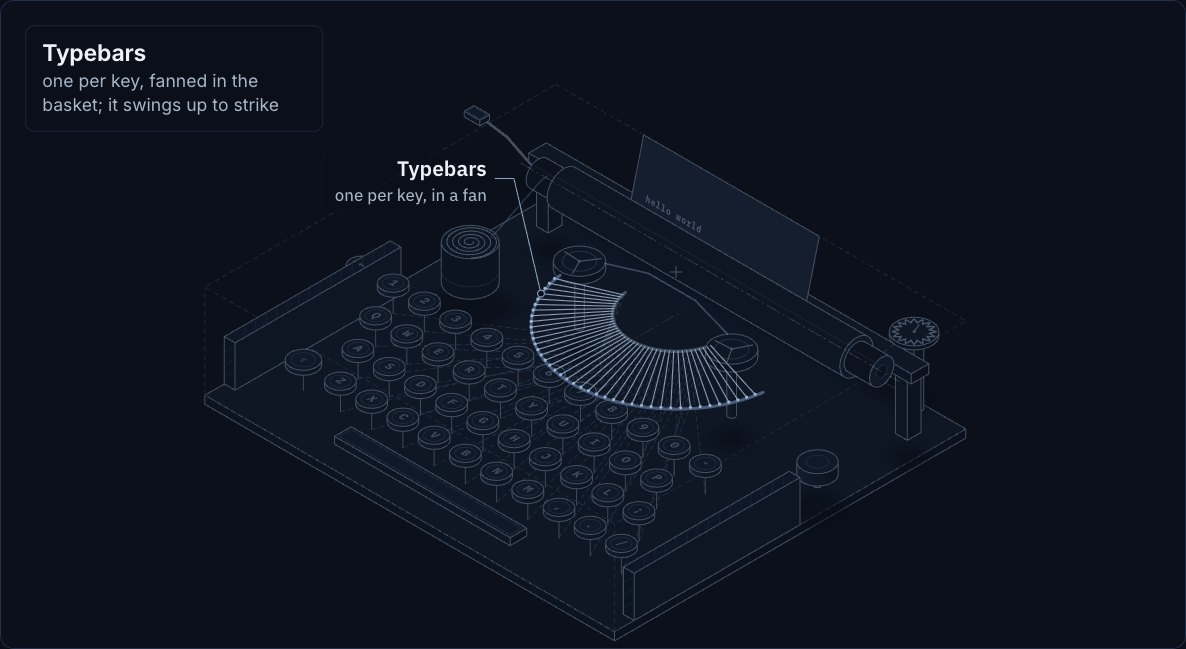
Every keystroke swings its typebar up to the platen on the frame the clip's own sound says, drawn on the machine as the camera moves.
19 of 19 events on their frame · audio 0.0 ms from the original
Clip: Erik Pålsson / Sounds of Changes, CC BY 3.0 · Source · posted by showtime
Make your own with one line
“/showtime x-ray this clip of my typewriter, drawn on the machine.”
<script src="https://faviovazquez.github.io/showtime/xray/embed.js"></script>
<showtime-xray src="https://faviovazquez.github.io/showtime/media/xray/typewriter-through-light-16x9-live.html" ratio="16/9" title="The same typewriter, as a blueprint" poster="https://faviovazquez.github.io/showtime/media/xray/typewriter-through-light-16x9.jpg"></showtime-xray>
Or as a plain frame:
<iframe src="https://faviovazquez.github.io/showtime/media/xray/typewriter-through-light-16x9-live.html#embed" title="The same typewriter, as a blueprint" width="960" height="860" allow="autoplay; clipboard-write" loading="lazy" style="border:0;max-width:100%"></iframe>
<script src="https://faviovazquez.github.io/showtime/xray/embed.js"></script>
<showtime-xray src="https://faviovazquez.github.io/showtime/media/xray/typewriter-diagram-16x9-live.html" ratio="16/9" title="A typewriter, as a living diagram" poster="https://faviovazquez.github.io/showtime/media/xray/typewriter-diagram-16x9.jpg"></showtime-xray>
Or as a plain frame:
<iframe src="https://faviovazquez.github.io/showtime/media/xray/typewriter-diagram-16x9-live.html#embed" title="A typewriter, as a living diagram" width="960" height="860" allow="autoplay; clipboard-write" loading="lazy" style="border:0;max-width:100%"></iframe>
<script src="https://faviovazquez.github.io/showtime/xray/embed.js"></script>
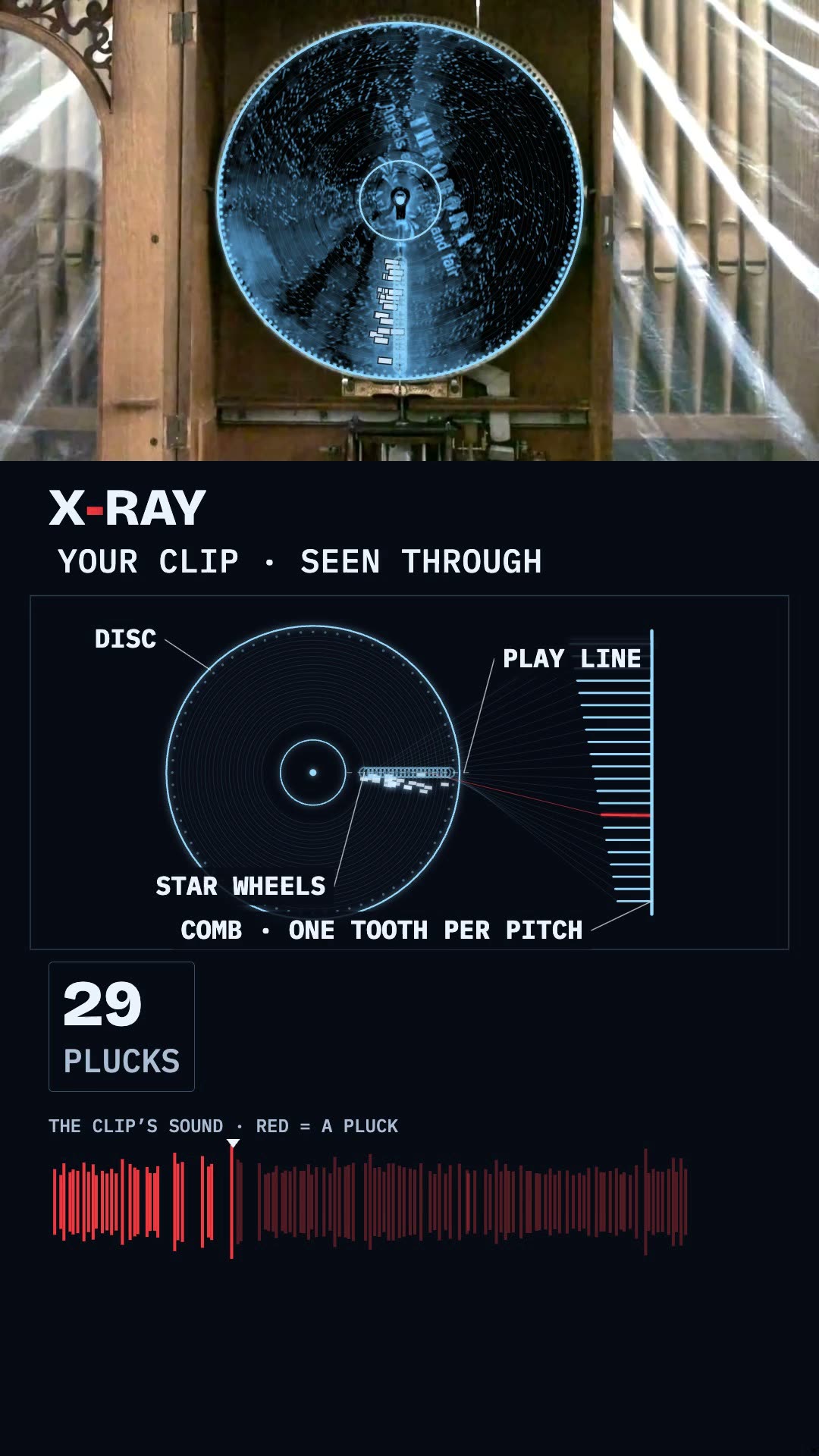
<showtime-xray src="https://faviovazquez.github.io/showtime/media/xray/musicbox-through-9x16-live.html" ratio="9/16" title="A music box disc, rebuilt from its sound" poster="https://faviovazquez.github.io/showtime/media/xray/musicbox-through-9x16.jpg"></showtime-xray>
Or as a plain frame:
<iframe src="https://faviovazquez.github.io/showtime/media/xray/musicbox-through-9x16-live.html#embed" title="A music box disc, rebuilt from its sound" width="420" height="1067" allow="autoplay; clipboard-write" loading="lazy" style="border:0;max-width:100%"></iframe>
<script src="https://faviovazquez.github.io/showtime/xray/embed.js"></script>
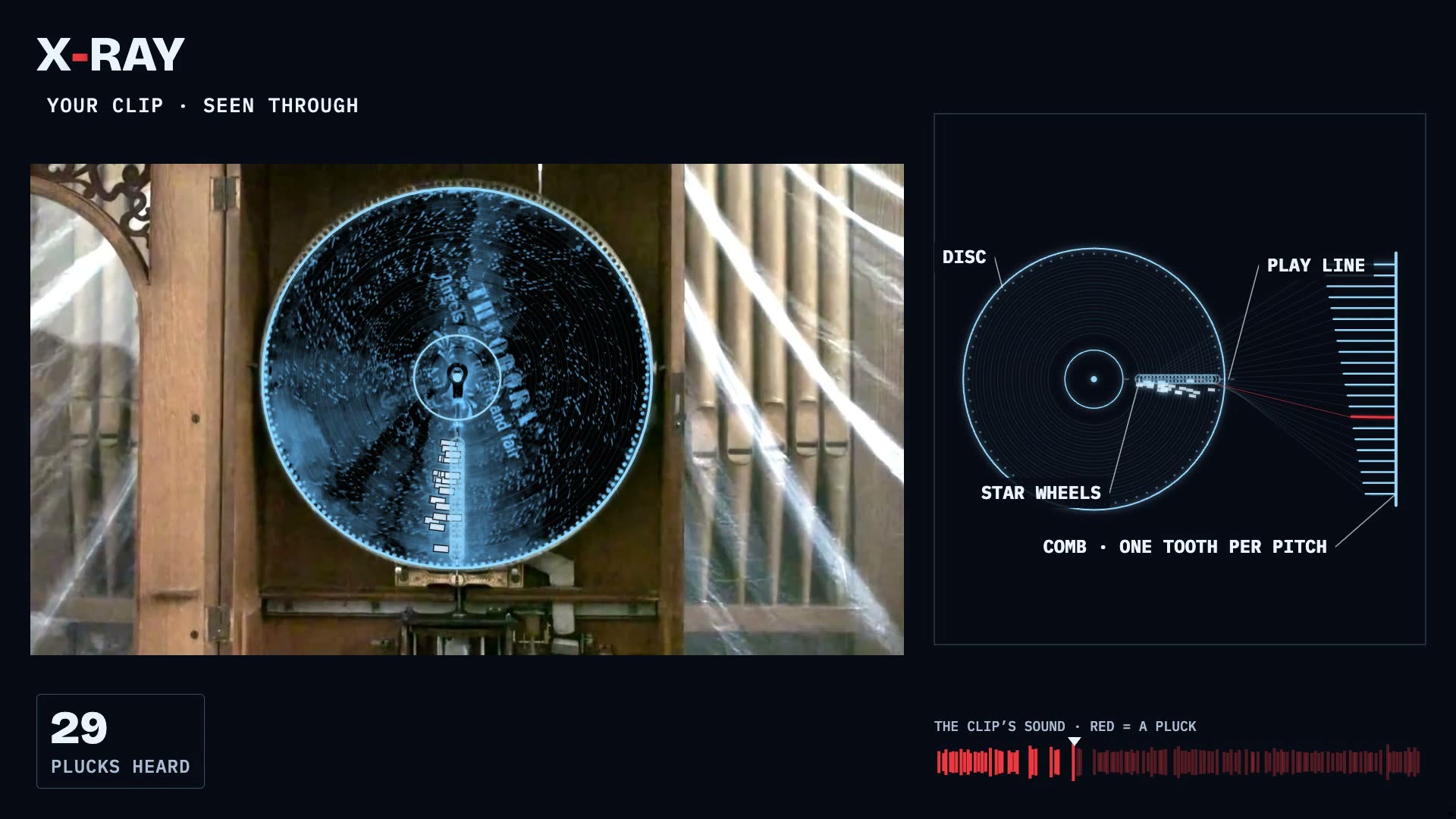
<showtime-xray src="https://faviovazquez.github.io/showtime/media/xray/musicbox-through-16x9-live.html" ratio="16/9" title="A music box disc, rebuilt from its sound (wide)" poster="https://faviovazquez.github.io/showtime/media/xray/musicbox-through-16x9.jpg"></showtime-xray>
Or as a plain frame:
<iframe src="https://faviovazquez.github.io/showtime/media/xray/musicbox-through-16x9-live.html#embed" title="A music box disc, rebuilt from its sound (wide)" width="960" height="860" allow="autoplay; clipboard-write" loading="lazy" style="border:0;max-width:100%"></iframe>
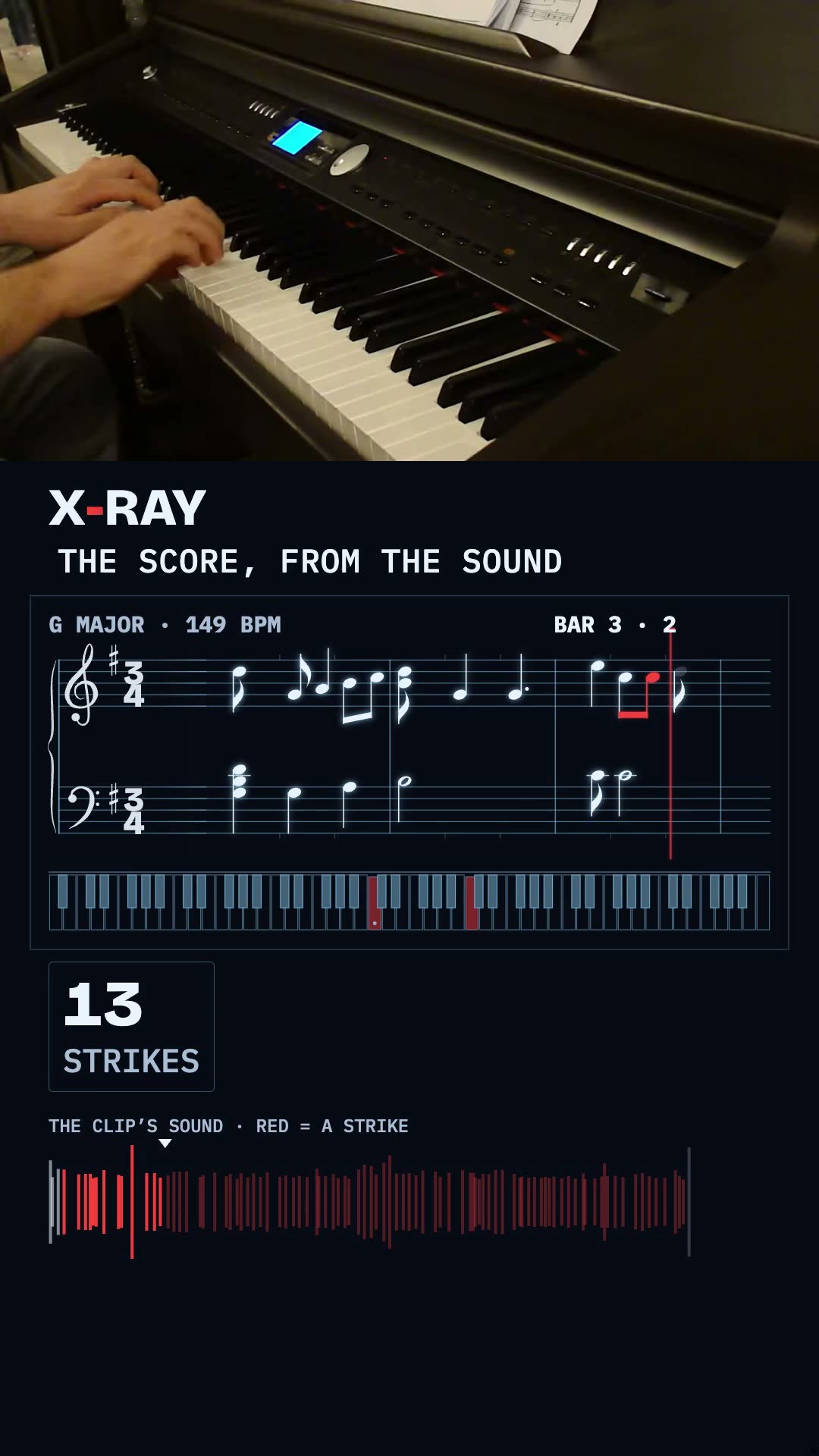
The notes heard in the clip, written as a score that scrolls on a smoothed tempo map.
91 of 91 events on their frame · audio 0.0 ms from the original
Minuet in G, BWV Anh. 114 (Notebook for Anna Magdalena Bach, attributed to Christian Petzold); recording KasraR, Wikimedia Commons, Public domain · Source · posted by showtime
Make your own with one line
“/showtime x-ray this piano recording as a score, for a phone.”
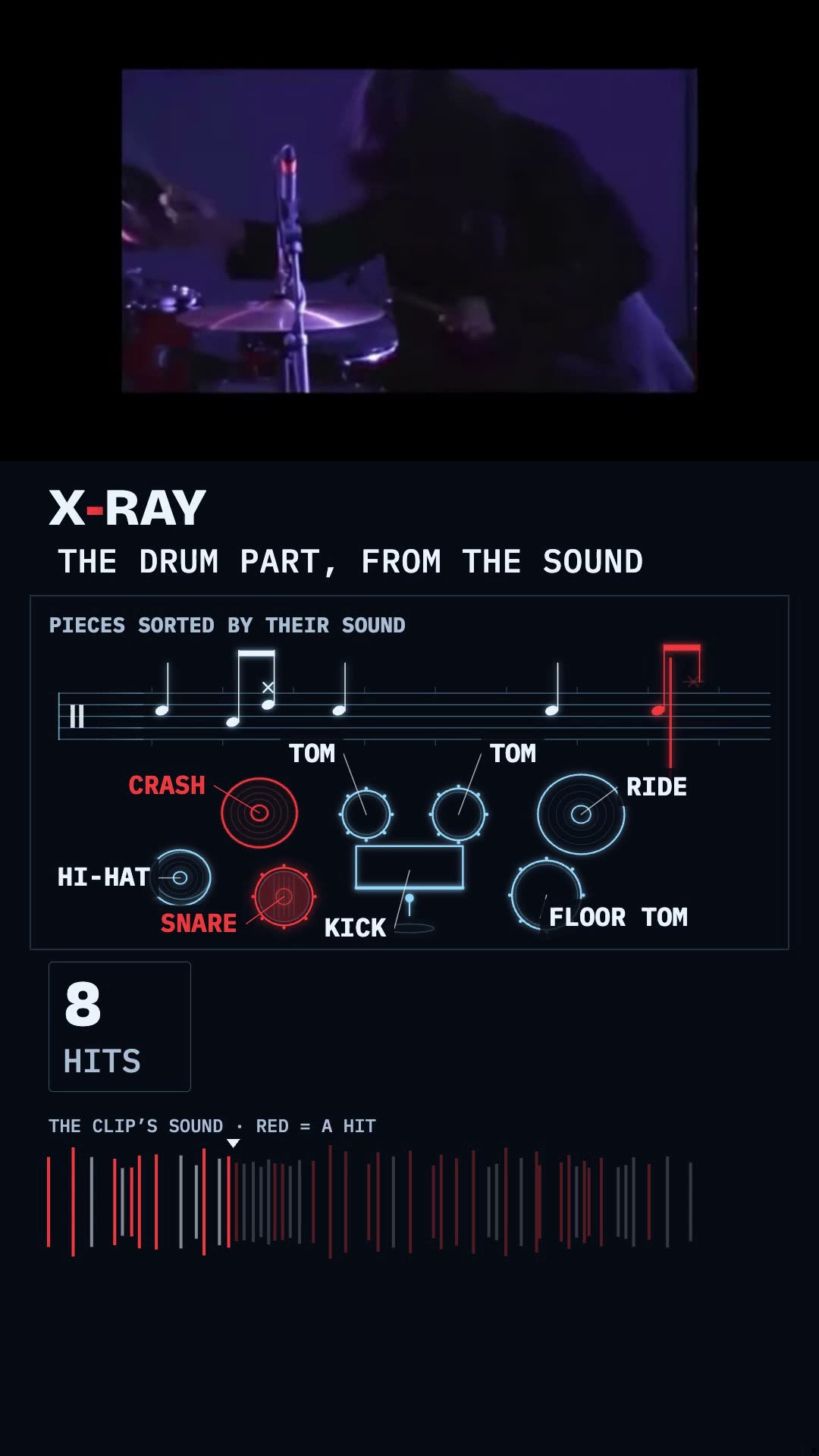
Every hit sorted by its sound into kick, snare, hi-hat, toms and cymbals, written on a percussion staff.
30 of 30 events on their frame · audio 0.0 ms from the original
Clip: Lukáš Perný, KC Dunaj Bratislava 2012, Wikimedia Commons, CC BY-SA 4.0 · Source · This film is under the same license, CC BY-SA 4.0 (share-alike). · posted by showtime
Make your own with one line
“/showtime x-ray this drum solo as a drum sheet, for a phone.”
Ten finished, zero in the works. A film that is not here yet shows its poster or a plain card until its
receipt and its credit are in.
No clip? Touch a living diagram
The same drawings, with no video: a living diagram you type on, press and drag. Each one is a single
offline file made by showtime export html --interactive, live right here.
Type on a typewriter
living diagram · type
Type on your keyboard and the machine types it: the key goes down, its typebar swings up and strikes, the letter lands on the paper, the carriage steps, the bell rings near the margin, and Enter returns the carriage.
Make your own with one line
“/showtime explain how a typewriter works inside, interactive: let me type on it.”
<script src="https://faviovazquez.github.io/showtime/xray/embed.js"></script>
<showtime-xray src="https://faviovazquez.github.io/showtime/media/xray/typewriter-figure.html" ratio="16/9" title="Type on a typewriter" poster="https://faviovazquez.github.io/showtime/media/xray/typewriter-figure.jpg"></showtime-xray>
What happens when you press a key
living diagram · type
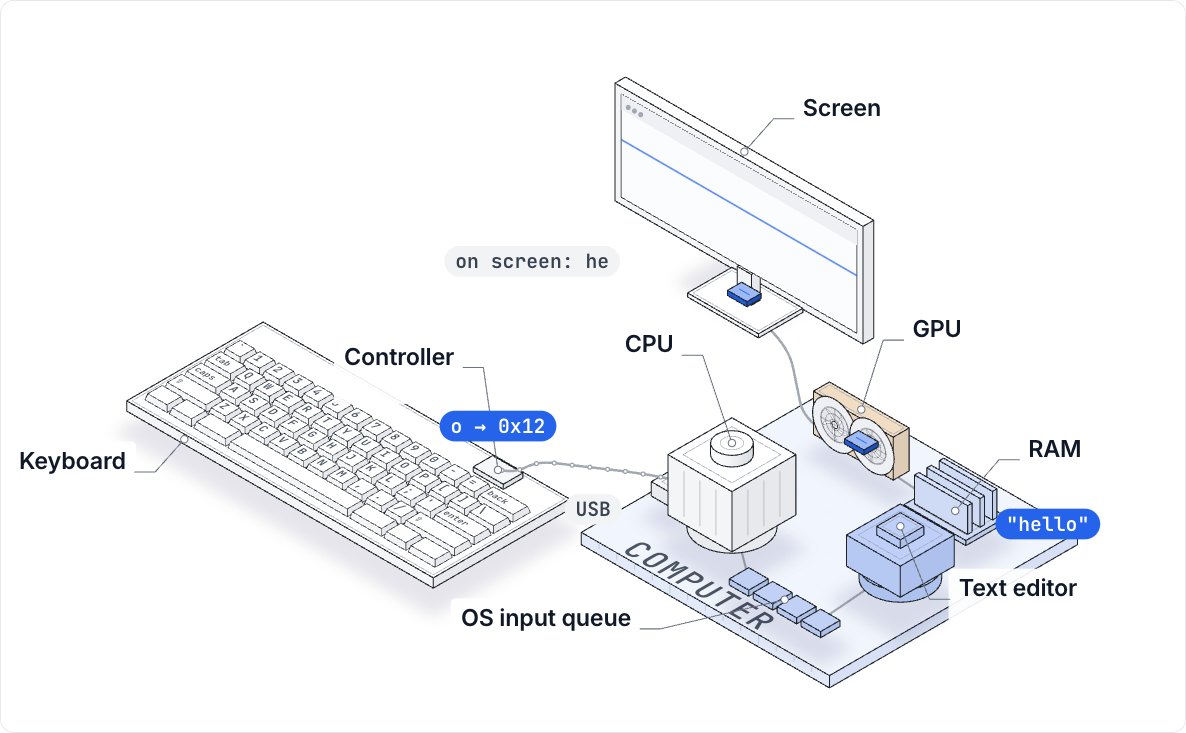
Type on your keyboard: the key goes down, its USB code waits for the next poll, the CPU takes the interrupt, and the screen draws it at its next refresh. Slowed down about 30 times; typical numbers, labelled.
Make your own with one line
“/showtime explain what happens when you press a key, interactive.”
<script src="https://faviovazquez.github.io/showtime/xray/embed.js"></script>
<showtime-xray src="https://faviovazquez.github.io/showtime/media/xray/computer-figure.html" ratio="16/9" title="What happens when you press a key" poster="https://faviovazquez.github.io/showtime/media/xray/computer-figure.jpg"></showtime-xray>
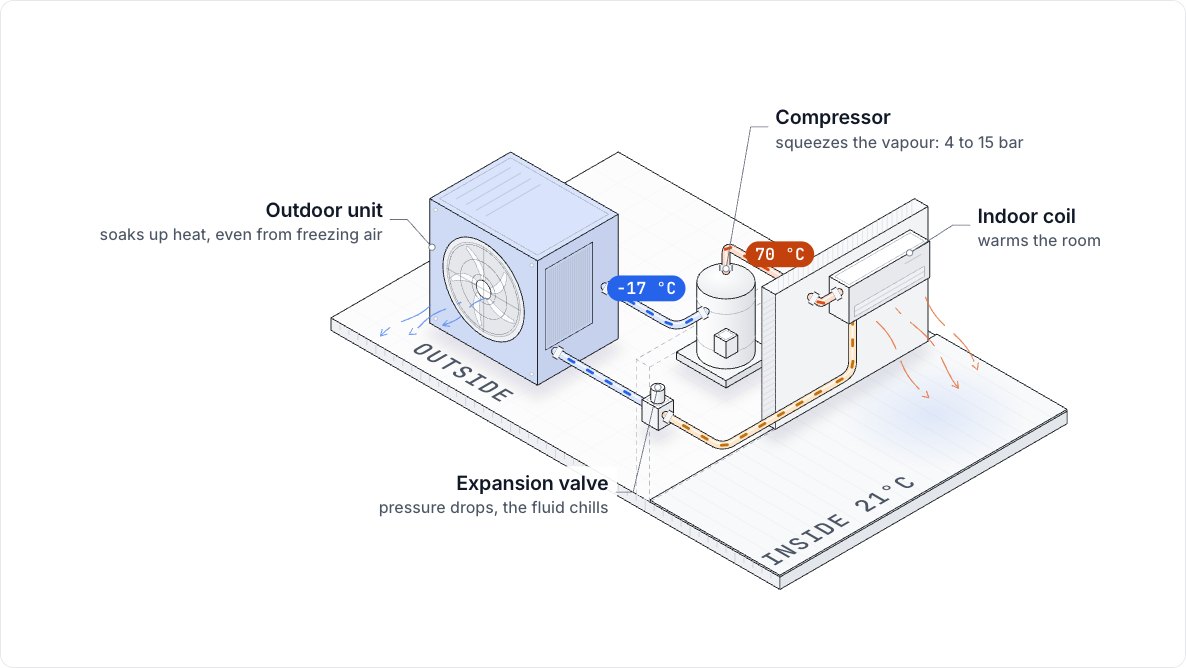
A heat pump: drag the weather
living diagram · drag
Drag the outdoor unit to make it colder or milder outside: the refrigerant and the heat moved per unit of power answer at once (illustrative numbers, from one formula).
Make your own with one line
“/showtime explain how a heat pump works, interactive: let me drag the weather.”
The library grows with every verified X-ray. Post a film to the gallery, or add a mechanism so everyone can draw
that object; we post ours the same way, and every entry is there to copy.
Post your X-ray
Make it with the three commands above, on a clip you filmed yourself or one under a Creative Commons license. Then open the
gallery form with the film's link, the object, the mechanism you used (or the new one you wrote), the verify line pasted as
it printed, and the clip's credit and license.
A new object starts as a copy of the closest entry in the mechanism library. Open a pull request that adds one folder:
skills/showtime/library/xray/<object>/
  mechanism.js   # its parts, four anchors, draw(k)
  diagram.js     # optional: the living-diagram scene
  README.md      # parts, what an event moves, measured vs drawn,
                 # "Verified on" + the receipt + the clip credit
We run showtime xray verify on the film: every event on its frame and the audio
within 20 ms of the clip. A film without its line does not appear.
The credit
Your own footage, or a clip with a license that allows it (CC0, CC BY, CC BY-SA) and its credit line. No license
found, no entry.
Objects only
An inside is drawn over machines and instruments, never over people. A person in the frame gets the
beside-the-clip layout.
Copyable
Each entry lists the commands that made it and links its mechanism, so anyone can make their own from
it with showtime new xray <dir> --mechanism <object>.