
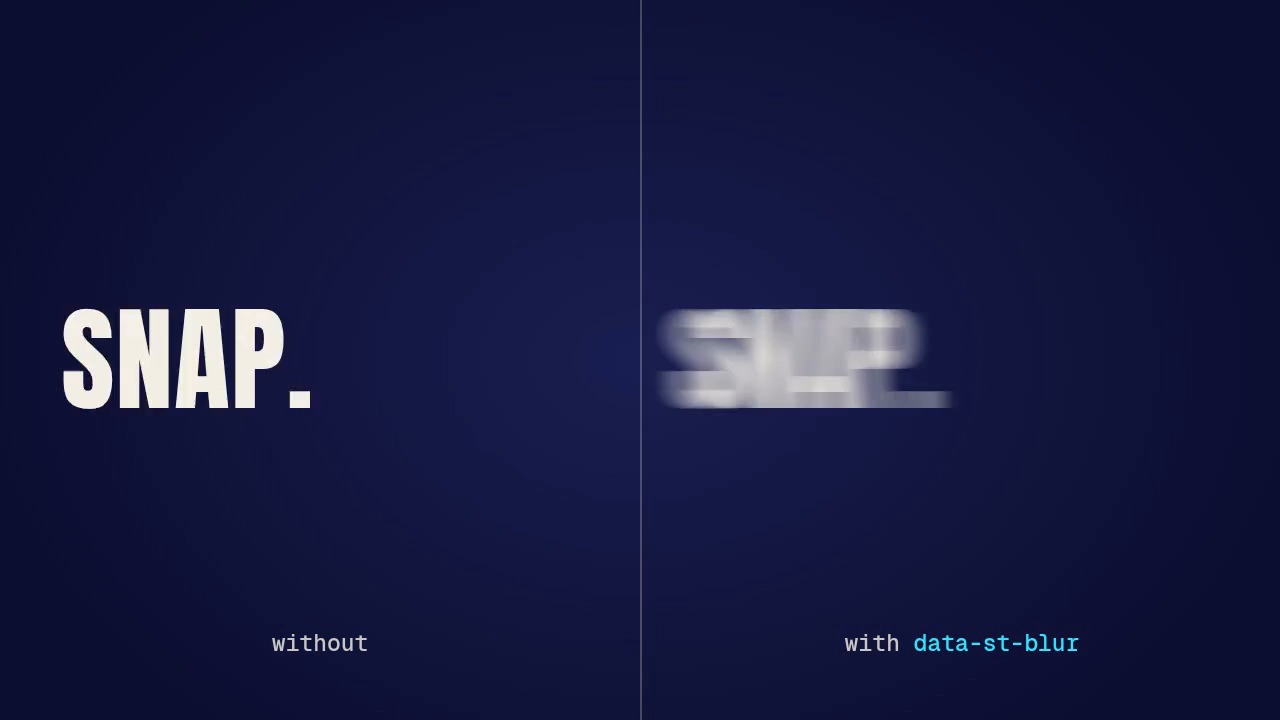
A 7.5-second page that shows the shutter blur of showtime 0.4.1 on four snap beats: a word whipped in from the
left, a word slammed down from above, a card punched in from three times its size, and the same whip twice,
without and with the blur. Each one is a single data-st-blur attribute on the element that moves: while it
moves fast, the frame shows eight copies of it posed between the frame and half a frame earlier, averaged, as a
180° camera shutter would smear it; on its slow frames and on the frame it lands it is drawn sharp, byte for
byte the same as without the attribute.
| File | What it is |
|---|---|
blur-720p.mp4 |
the page rendered at 1280x720, 30 fps, 7.5 s, no sound |
poster.jpg |
the frame at 6.07 s (the comparison, mid-whip) |
project/ |
the page (index.html) and its showtime.json |
Render it again from the repository root:
skills/showtime/bin/showtime render examples/_blur/project --scale 0.6667 --crf 22 --no-audio -o examples/_blur/blur-720p.mp4
(showtime render never overwrites: delete the old file first, or it writes blur-720p-2.mp4. It also writes a
blur-720p.poster.jpg and a blur-720p.work/ folder of logs to delete; poster.jpg here is
showtime snap examples/_blur/blur-720p.mp4 --at 6.067 -o examples/_blur/poster.jpg.)
What each scene uses#
Every move is a CSS @keyframes animation on a hard ease-out (cubic-bezier(0.16, 1, 0.3, 1)), the whole
distance in 6-9 frames, with data-st-blur (defaults: shutter 180°, 8 samples, threshold 6 px a frame, smear
at most half the element's shorter side) on the element that moves, never on its full-frame wrapper:
- Whip (0-1.9 s):
WHIP.in from past the left edge with a little skew, 0.3 s. Blurred on 7 frames, the first smeared by about 150 px (capped at half its height), the last by 4. - Slam (1.9-3.8 s):
SLAM.down from above, 0.2 s, then a squash on the landing (scalefrom 1.06 x 0.9, a second animation on the same word). Blurred on 4 frames, sharp on the frame it lands, then softened by 3-4 px on the first 3 frames of the squash, which moves its edges just over 6 px a frame. - Scale punch (3.8-5.7 s): a card with a gradient, a shadow and its own text colour, in from
scale(3)over 0.3 s: the copies smear outward from its centre, like a zoom. Blurred on 6 frames. - Without and with (5.7-7.5 s): the same whip in two halves of the frame, 0.26 s; only the right one carries
data-st-blur(blurred on 5 frames). Both land on the same frame and hold identical.
How it works, its options (shutter, samples, threshold, max, ST.blur(el, {pose})) and its limits:
skills/showtime/references/stage-api.md § Shutter blur; when to use it: motion-craft.md §5.
Checks#
showtime check examples/_blur/project: PASS, 0 warnings, 0 notes (the four elements move 0.6-4.5 times their shorter side in their fastest frame, are blurred 5-7 frames each and stay sharp for their reading time).showtime qa examples/_blur/blur-720p.mp4: WARN only forno_audio(the page is silent on purpose) andposter_mismatchagainst the auto-picked poster the render writes (not kept).- Frame-exact: the blur's test (
skills/showtime/tests/test_blur.py) renders a DOM page and a canvas film with 1 and with 3 workers and compares every frame byte for byte, and against the same pages without the blur only the fast frames differ. - Cost: this page renders in about 3 s on our test machine (64 cores, no GPU). A blurred frame costs about 8 ms more per blurred word at 1080p there (render.md § Speed); only the 4-7 fast frames of each snap pay it.
Credits#
No media. The type is Anton and Geist Mono, both SIL Open Font License 1.1, from the font files showtime installs.