Security & Documentation
Workflows for verifying security posture per phase and generating/updating project documentation grounded in the live codebase.
New in v2.1.0.
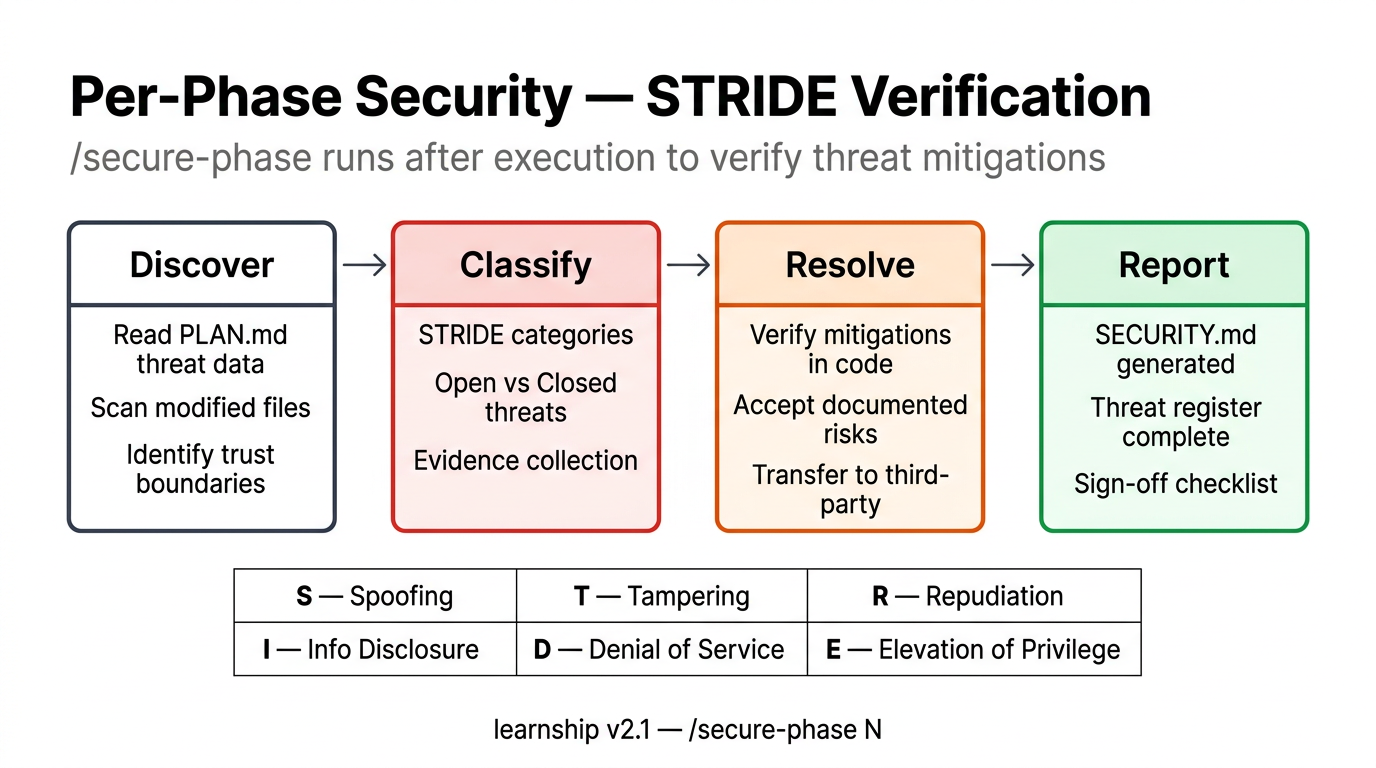
/secure-phase
Per-phase security verification using the STRIDE threat model.
What it does:
- Reads PLAN.md threat data and SUMMARY.md security flags
- Scans files modified in the phase for common security patterns
- Builds a STRIDE threat register AND cross-references OWASP Top 10 (A01–A10)
- Classifies each threat as OPEN or CLOSED
- Presents open threats for resolution (verify, accept, or review individually)
- Writes SECURITY.md using the security template
STRIDE categories:
| Category | Question |
|---|---|
| **S**poofing | Can someone pretend to be someone else? |
| **T**ampering | Can someone modify data they shouldn't? |
| **R**epudiation | Can actions be denied after the fact? |
| **I**nfo Disclosure | Can sensitive data leak? |
| **D**enial of Service | Can the system be made unavailable? |
| **E**levation of Privilege | Can someone gain unauthorized access? |
OWASP Top 10 (2021) cross-reference:
Every /secure-phase audit now cross-maps STRIDE findings against the OWASP Top 10. The security-auditor agent checks each category for relevance to the phase's changes:
| # | Category | STRIDE mapping |
|---|---|---|
| A01 | Broken Access Control | Elevation |
| A02 | Cryptographic Failures | Info Disclosure |
| A03 | Injection | Tampering |
| A04 | Insecure Design | Spoofing/Tampering/Elevation |
| A05 | Security Misconfiguration | Spoofing/Info Disclosure/Elevation |
| A06 | Vulnerable Components | Tampering/Info Disclosure/Elevation |
| A07 | Auth Failures | Spoofing |
| A08 | Software/Data Integrity | Tampering |
| A09 | Logging/Monitoring Failures | Repudiation |
| A10 | SSRF | Tampering/Info Disclosure |
Output: Every SECURITY.md now includes an OWASP coverage table marking each category as Relevant, N/A, or Found. This makes audits exhaustive and audit-trail-friendly — no category can be silently skipped.
Threat dispositions:
- Mitigate — implementation required to close the threat
- Accept — documented risk with rationale in the Accepted Risks Log
- Transfer — handled by a third-party service
Output: .planning/phases/[phase]/[phase]-SECURITY.md
Agent: learnship-security-auditor (read-only — does not modify source code)
Config: workflow.security_enforcement (default: true). Set to false to disable.
Learning checkpoint: learn — security patterns
/docs-update
Generate, update, and verify project documentation against the live codebase.
What it does:
- Detects project type (monorepo, CLI tool, SaaS, open-source library, generic)
- Builds a documentation queue from always-on + conditional docs
- For each doc: creates if new, updates stale sections if existing
- Verifies all factual claims against the codebase (file paths, commands, config)
- Commits all documentation
Always-on docs (every project):
- README.md
- ARCHITECTURE.md
- GETTING-STARTED.md
- DEVELOPMENT.md
- TESTING.md
- CONFIGURATION.md
Conditional docs (if signal detected):
| Signal | Doc |
|---|---|
| API routes detected | API.md |
| LICENSE file exists | CONTRIBUTING.md |
| Deploy config detected | DEPLOYMENT.md |
CHANGELOG.md is never queued — it's manually maintained.
Agent: learnship-doc-writer (verifies file paths exist, commands work, config matches schema)
Learning checkpoint: explain — articulate what was documented