The Phase Loop
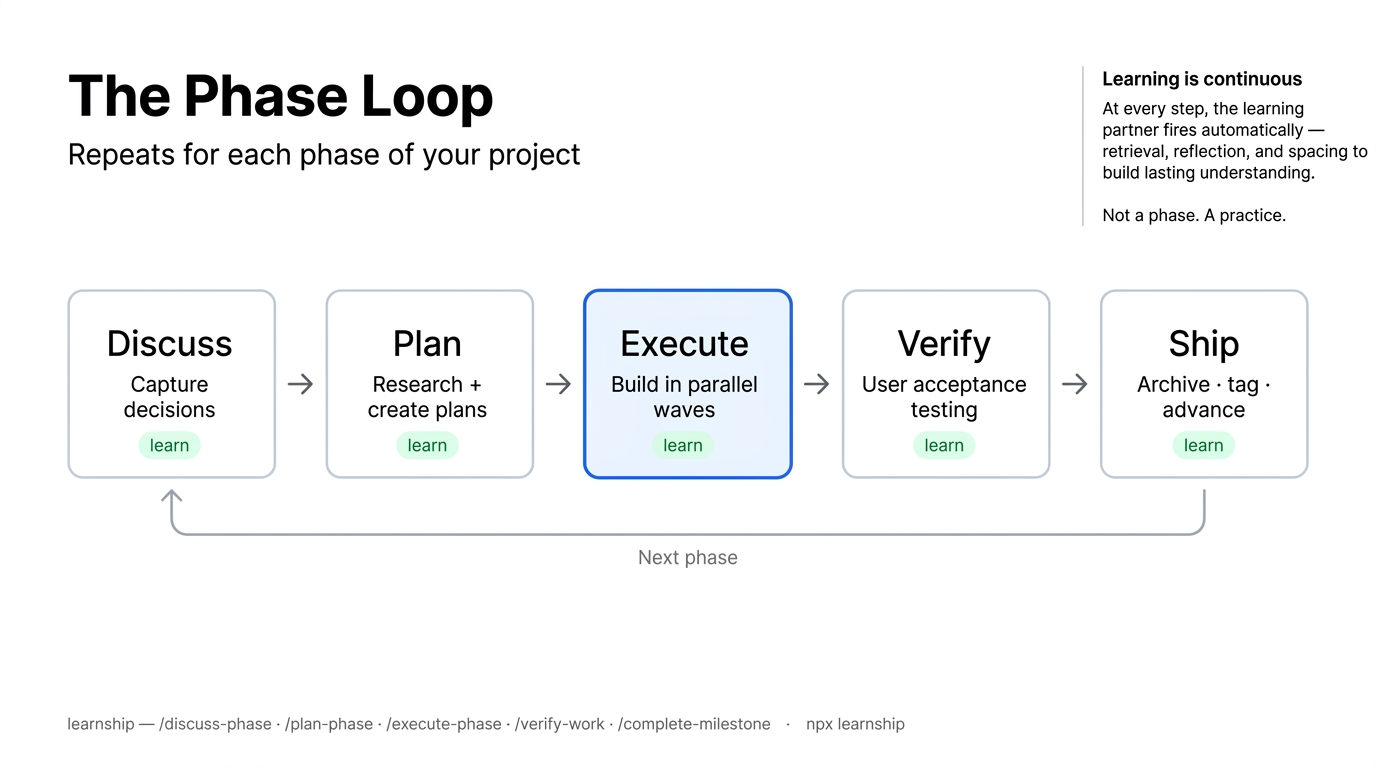
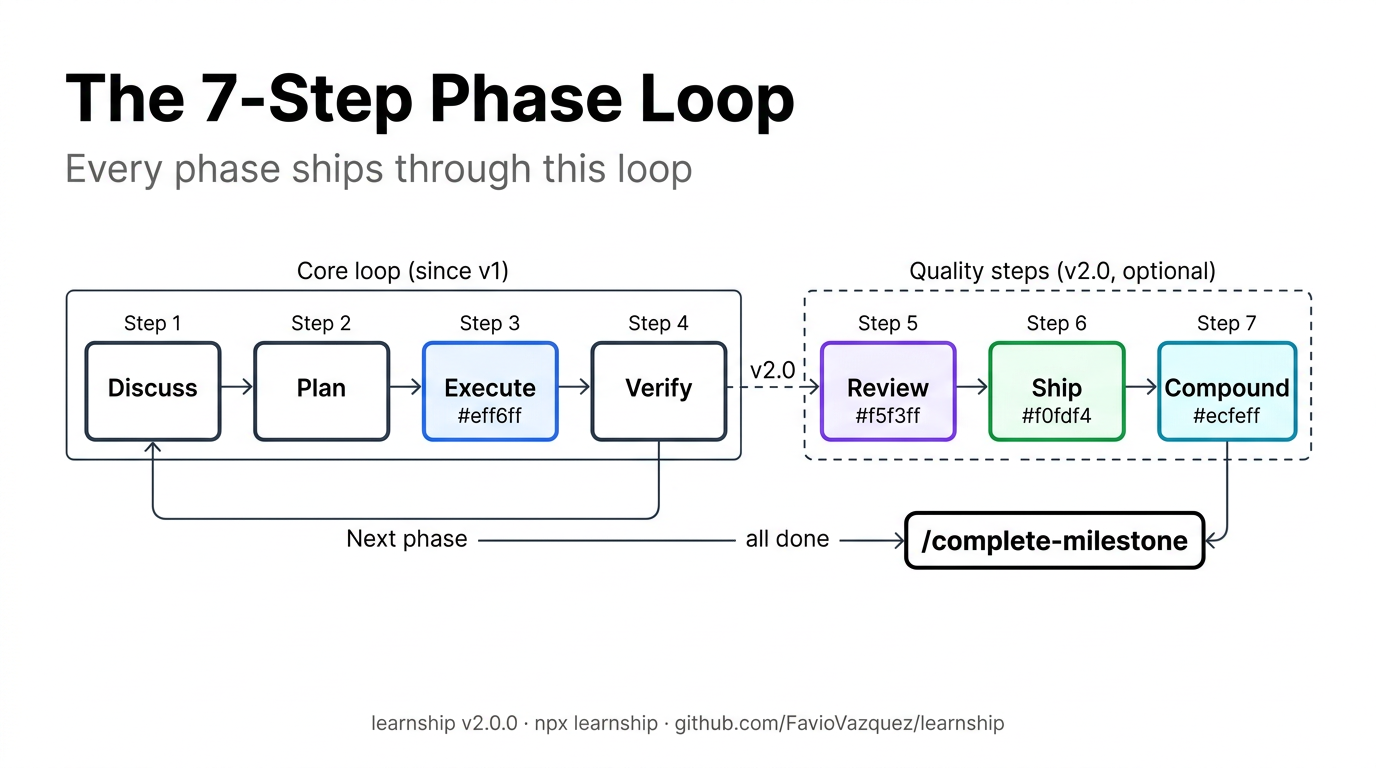
Every feature in learnship ships through a repeating 7-step loop: discuss → plan → execute → verify → review → ship → compound.
flowchart LR
    DP["/discuss-phase N<br/>Capture decisions"]
    PP["/plan-phase N<br/>Research + plans"]
    EP["/execute-phase N<br/>Build + commit"]
    VW["/verify-work N<br/>UAT + diagnose"]
    RV["/review<br/>Multi-persona review"]
    SH["/ship<br/>Test → PR"]
    CP["/compound<br/>Capture knowledge"]

    DP --> PP --> EP --> VW
    VW --> RV --> SH --> CP
    CP -->|"next phase"| DP
    VW -->|"all done"| DONE["✓ /complete-milestone"]
The last three steps (/review, /ship, /compound) are recommended after every phase. They surface naturally through done-banner suggestions after /verify-work passes.
Step 1: Discuss
A structured conversation that happens before any code is written. The agent reads your roadmap and prior decisions, then asks targeted questions about implementation preferences for this phase:
- Which libraries or patterns do you want to use?
- What should be off-limits (things to avoid)?
- Any constraints from previous phases?
Your answers get written to .planning/phases/N-*/N-CONTEXT.md with structured sections: domain boundary, decisions, specifics, canonical references, and deferred ideas. The planner and researcher both read this file — your preferences are honored, not guessed.
v2.1 adds scope guardrails (prevents scope creep during discussion), domain-aware probes (smarter follow-ups for auth, API, database, etc.), and a discussion log as an audit trail.
v2.3.4 adds --deep mode: pass discuss-phase N --deep or set workflow.discuss_mode: "deep" in config to activate extended deep questioning that walks every decision branch until shared understanding is reached. Each question includes a recommended answer. Produces a richer CONTEXT.md.
Why this step matters
Skipping discuss and going straight to plan is the most common source of misaligned plans. 10 minutes of discussion prevents hours of rework.
Step 2: Plan
The planner agent:
- Reads
CONTEXT.md,DECISIONS.md, andAGENTS.md - Researches the domain (ecosystem, patterns, pitfalls) if
workflow.research: true - Creates 2–4 executable
PLAN.mdfiles as vertical slices — each plan is a tracer bullet delivering one demoable user-facing behavior through all integration layers (data → logic → API → UI → test) - Runs a verification loop (up to 3 passes) checking plans for gaps, contradictions, and horizontal slice violations
Plans are written in a structured format that specifies exact tasks, expected outcomes, and acceptance criteria. Nothing is left to the executor's interpretation.
v2.3.4 enforces vertical slice planning: the plan-checker flags any plan that covers only one architectural layer across all features. Single-layer phases (migrations, style passes) use single_layer_justified: true in the plan frontmatter to suppress the check.
Output: .planning/phases/N-*/N-01-PLAN.md, N-02-PLAN.md, etc.
Step 3: Execute
Plans run in wave order: independent plans in the same wave execute before dependent ones. Each task produces an atomic git commit.
On Claude Code, OpenCode, and Codex CLI, parallel subagents are on by default — plans in the same wave each get a dedicated executor with a fresh context budget. To run sequentially instead:
v2.1 adds --wave N to execute a single wave, and context window scaling that adapts read depth automatically.
See Context Engineering → Parallel Execution for details.
Output: One atomic commit per task, plus a SUMMARY.md for each plan.
Step 4: Verify
You do the testing. The agent is your diagnostic partner:
- Agent shows what was built and the acceptance criteria
- You test it: run the app, call endpoints, check behavior
- Report issues in plain language:
"Search returns 500 when query is empty" - Agent diagnoses root causes and creates targeted fix plans
- Execute the fixes:
/execute-phase Nor/quick "..." - Re-verify until clean
When all criteria pass, the phase is marked complete and STATE.md advances.
v2.1 adds goal-backward verification (checks what must be TRUE for the goal to be achieved, not just that tasks ran) and must-haves extraction from plan frontmatter.
Step 5: Review (v2.0)
Two-pass code review. Pass 1 checks spec compliance — reads PLAN.md must_haves and classifies each deliverable as COVERED, PARTIAL, or MISSING before proceeding. Pass 2 runs quality review through six lenses: correctness, testing, security, performance, maintainability, and adversarial. Only activates lenses relevant to the diff. Produces severity-ranked findings (P0–P3) with confidence scores.
See Workflow Reference → Compounding & Quality for details.
Step 6: Ship (v2.0)
End-to-end pipeline: detect test runner → run tests → lint → stage → conventional commit → push → create PR. Closes the loop from verified code to production.
Step 7: Compound (v2.0)
Capture what you learned while context is fresh. Creates structured documentation in .planning/solutions/ that future /plan-phase runs search before research. Turns solved problems into searchable project knowledge.
Learning is continuous
learn Every step in the loop has a Learning Checkpoint that fires automatically when learning_mode: "auto" (the default).
| Step | Learning action offered |
|---|---|
| After discuss | @agentic-learning either-or: log decisions made |
| After plan | @agentic-learning explain-first: validate your mental model |
| After execute | @agentic-learning reflect + quiz + interleave |
| After verify (pass) | @agentic-learning space + quiz |
| After verify (bugs found) | @agentic-learning learn: turn the bug into a pattern |
| After review | @agentic-learning learn: review findings as learning material |
| After ship | @agentic-learning reflect: what went well in this cycle? |
| After compound | @agentic-learning either-or: which approach was best? |
See Skills → Learning Partner for all 11 actions.
The milestone arc
The phase loop sits inside a milestone lifecycle:
flowchart LR
    ID["/ideate"] -.->|"optional"| DM["/discuss-milestone"]
    DM --> CH["/challenge"] -.->|"optional"| NM["/new-milestone"]
    NM --> LOOP["Phase loop × N"]
    LOOP --> SD["/sync-docs"] -.->|"optional"| AM["/audit-milestone"]
    AM --> CM["/complete-milestone"] --> MR["/milestone-retrospective"]
v2.0 adds /ideate (before milestone planning), /challenge (scope stress-test), and /sync-docs (documentation drift detection) as optional steps in the milestone arc.
See Workflow Reference → Milestone for details.